
FIELD AND OFFICE, TOGETHER
Put the field and office on the same page.
Give reps, reviewers and managers a shared company workspace with access that fits their responsibilities. Keep the inspection moving from the first photos to the finished report.
14-day trial · Card required · 2-seat minimum
- Company invitations and role-based access
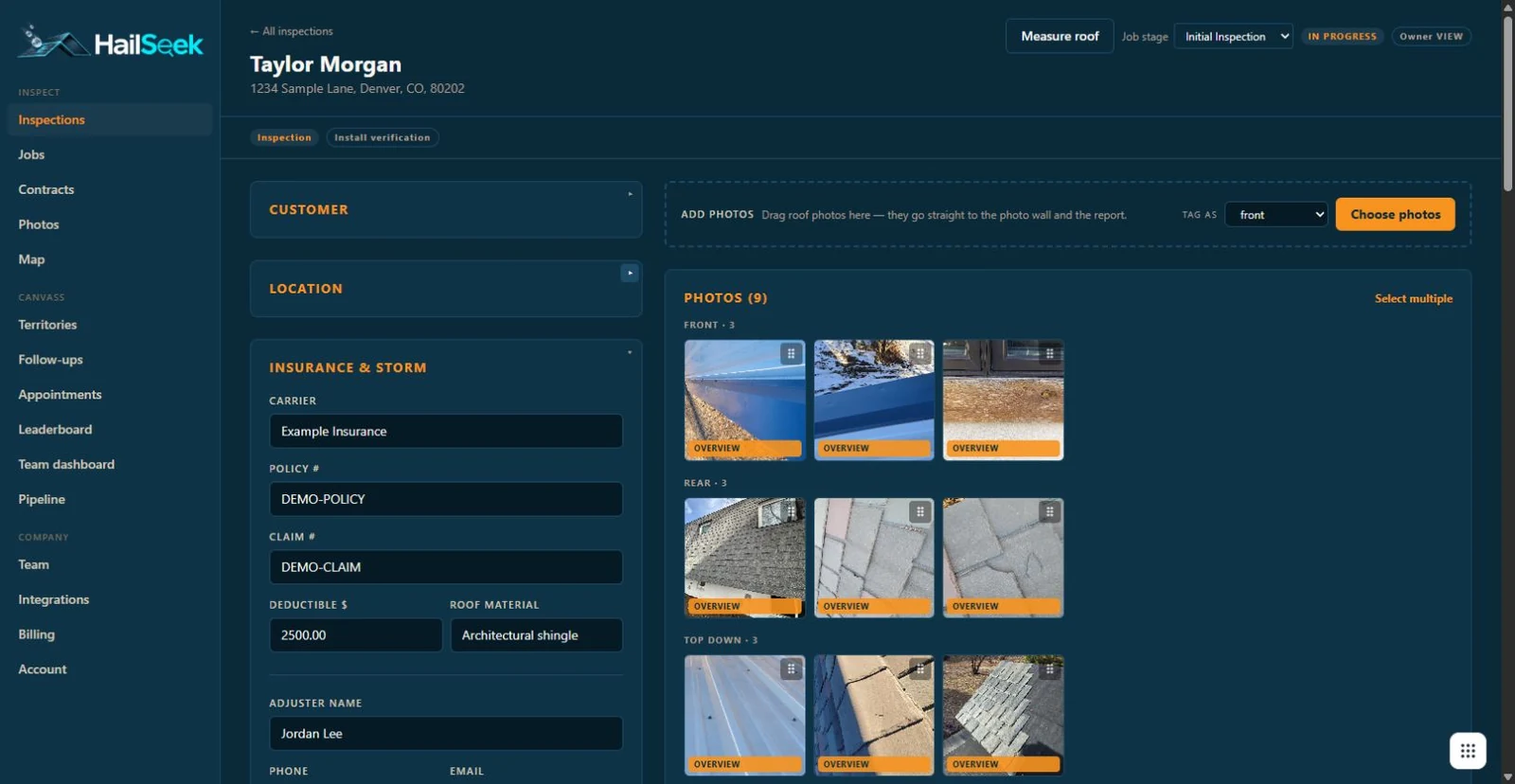
- Field capture connected to desktop review
- Owner-controlled billing and workspace setup
GIVE EVERY ROLE A PLACE
Invite the people who move the job forward.
Manage members, roles and pending invitations in the team area. Owners can invite supported team roles; sales managers can bring in field reps.
Give each person the account and access they need, with invitation controls to resend or revoke access before they join.
Field reps
Capture photos and damage details on the inspections they can access.
Office reviewers
Give supplementers and customer-service staff access suited to their review and office work.
Managers and owners
Coordinate broader inspection work and manage company responsibilities according to role.
ONE JOB FILE
Keep the handoff moving with the inspection.
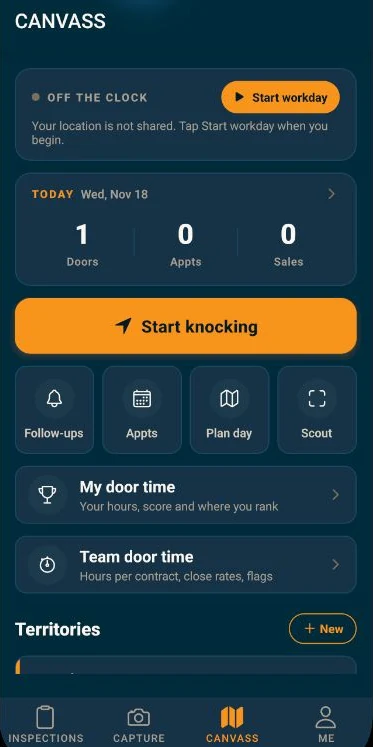
Property information, assigned people, photos and damage details stay together. The field crew works on the phone while the office opens the inspection on the web.
Elevation labels and damage notes give reviewers context from the start. The rep can check sync progress before the office picks up the work.
GROW THE WORKFLOW
Start with a crew. Build the company process.
Teams starts with a 2-seat minimum, with company billing managed by the owner in Settings → Billing.
Run a few jobs from capture through report review, then bring more of the crew into the same process.
Individual access
Separate accounts connect each person to the right company workspace and responsibilities.
Optional location sharing
Reps can opt in and start a workday to share live location with owners and sales managers during the permitted workday window.
BRING THE OFFICE INTO STORM CLOUD
Connect the field work to the business behind it.
Use HailSeek for the territory, inspection, photos and customer proposal. Add Storm Cloud for the office CRM, project production, job financials and payroll workflows.
Plan the transition around your team’s jobs and access. Storm Cloud has its own subscription and office-user count, so compare the combined setup with the software you intend to replace.
Can field and office staff have different access?
Yes. The workspace has roles for owners, sales managers, field reps, supplementers and customer-service staff. Access and editing permissions depend on the role and the inspection. A company administrator should assign the role appropriate to each person’s work.
Explore the team workspaceWho can invite people to the company?
Owners can invite the supported team roles. Sales managers can invite field reps. The team area shows members and pending invitations; invitations can be resent or revoked by someone with the required access.
What does adding Storm Cloud give our company?
Storm Cloud brings the office CRM, project production, job financials and payroll together, including crew invoice review, commissions, recurring draws and municipality records. Use HailSeek for the field work and customer proposal, then plan the linked jobs and office workflow in Storm Cloud. Its subscription is separate, and paid full-access office users are a different count from your HailSeek team.
Compare the connected setupCan managers see a rep’s live location?
Live rep location is permission-based and opt-in. It is shared with team owners and sales managers during the permitted workday window after the rep starts the workday. The rep can turn sharing off. Location sharing and the history of recorded door outcomes are different features.
BUILT FOR ROOFING COMPANIES
Bring the next job into HailSeek.
Start a 14-day company trial. Card required. Teams has a 2-seat minimum.