
THE WORK BEFORE THE INSPECTION
Turn the next knock into the next opportunity.
Work your territory, record the conversation and book the next visit. HailSeek keeps the door, the follow-up and the inspection connected as your pipeline grows.
14-day trial · Card required · 2-seat minimum
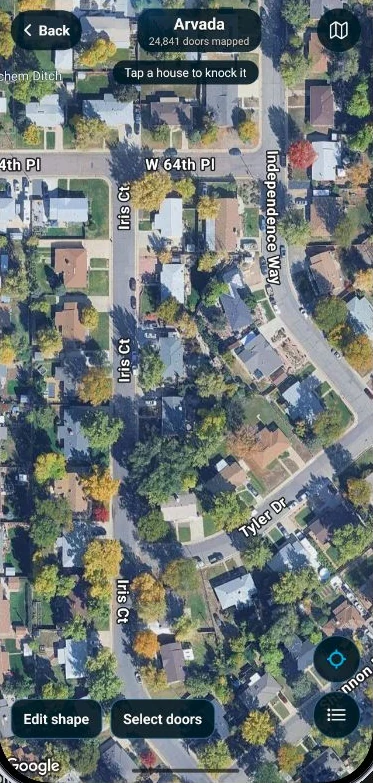
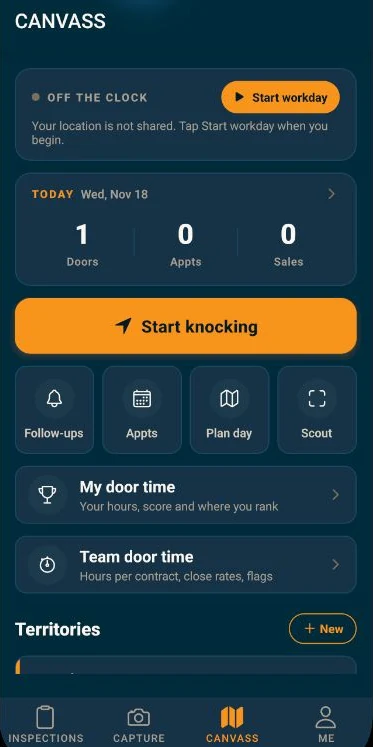
- Territory maps and door outcomes
- Follow-ups and appointment booking
- A direct path into the inspection
OWN YOUR TERRITORY
Start the day with the work in view.
Open a territory and work from the map or door list. See the address, recorded outcome and next action together, then pick up the conversation where your team left it.
Available county details, including year built and building area, add context before you knock. Follow-ups and appointments bring the next visits back into view.
KEEP THE CONVERSATION MOVING
Give every good conversation a next step.
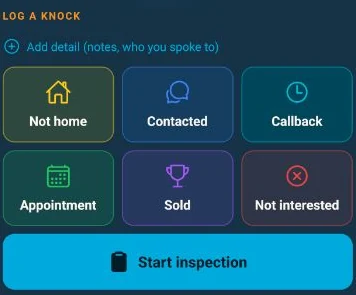
Record an outcome while the conversation is fresh. Set a follow-up for the homeowner who needs more time, or book an appointment when they are ready for a visit.
Record the outcome
Keep each door’s status attached to its address for the next rep or visit.
Book the visit
Turn homeowner interest into a scheduled appointment.
Start the inspection
Move from the door into the property’s inspection workflow.
KEEP YOUR MOMENTUM
Keep knocking when coverage drops.
Open the territory while connected, then keep logging knocks against those saved doors when service drops. The phone queues the work for sync.
Fresh map data and live availability checks need a connection. Use the sync view to see when your field updates have reached the team.
Can reps log knocks without a signal?
For a territory and doors already opened with service, the mobile app can keep recording knocks and queue them for sync. Opening new map data, adding a new door and other live lookups may still need a connection. Prepare the territory before leaving coverage.
Can a rep book an appointment at the door?
Yes. The door’s Book appointment action opens the booking form. An offline booking can be queued for an existing door when the needed team information is already cached. Live availability checks require a connection.
Does a door include property information?
Where county data is available, a door can show facts such as year built, building area and property value. Missing information is left out. Coverage and completeness depend on the underlying property data; it is not a roof measurement.
BUILT FOR ROOFING COMPANIES
Bring the next job into HailSeek.
Start a 14-day company trial. Card required. Teams has a 2-seat minimum.